For ecommerce, retail and digital teams
All your apps in one place
Give every team quick access to the tools they need, centralize control, and keep links accurate and up to date.
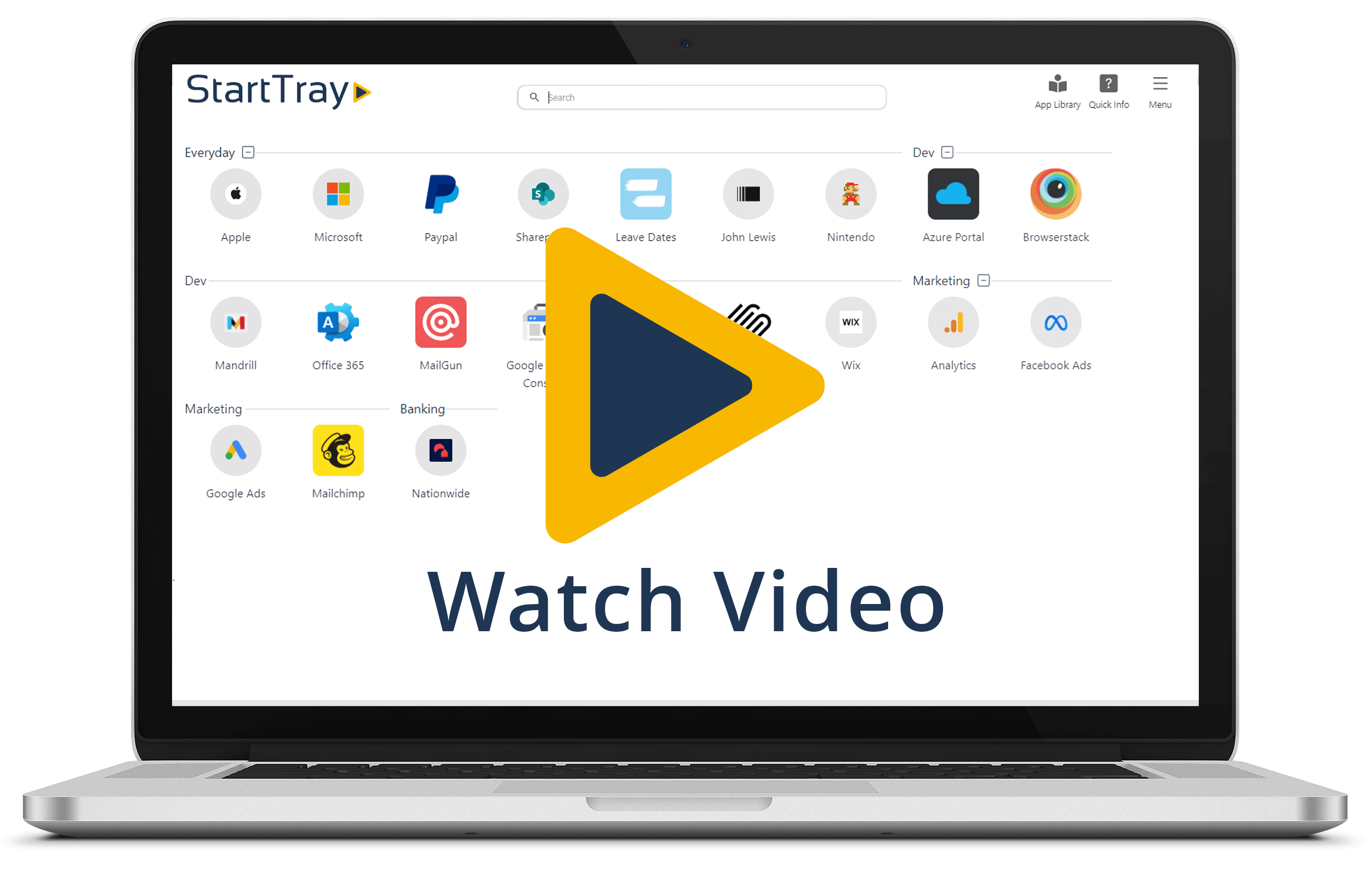
A simpler way to manage your business apps
Bring every tool into one place, give teams the right access, and keep everything clear and up to date.
All tools in one place
Bring together ecommerce platforms, analytics, support tools and dashboards so nothing is scattered or hard to find.
Role-based access
Give each team the right apps from day one, so marketing, support, ops and leadership all start in the right place.
Update links once
When a URL changes, update it centrally and it is instantly correct everywhere without chasing outdated bookmarks.
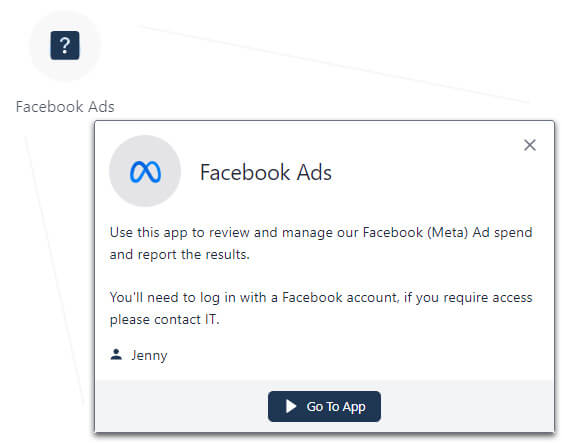
Clear app context
Show what each app is for, who owns it and how it is used so no one is left guessing.
Where StartTray fits best
Marketing teams
Ad platforms, creative tools, analytics and landing page systems.
Customer support teams
Helpdesk, returns portals, courier links and knowledge bases.
Operations teams
Stock systems, warehouse tools, supplier portals and reporting.
Leadership & finance
Dashboards, revenue reporting, ad spend, forecasting and finance tools.
Agencies that work with multiple clients? See our digital agency page on how to structure your StartTray by client.
Why teams settle into StartTray quickly
A tidier starting point for the tools people rely on most, without changing the way they already work.
Speed
Reduce friction at the start of every task. Open the tools you need from one dashboard instead of bouncing between bookmarks, docs and chat threads.
Clarity
Make your app estate easier to understand. Teams can see what each tool is for, which links are official and who owns the setup.
Control
Keep access more deliberate. StartTray helps you centralise approved routes into company tools without relying on copied links floating around the business.
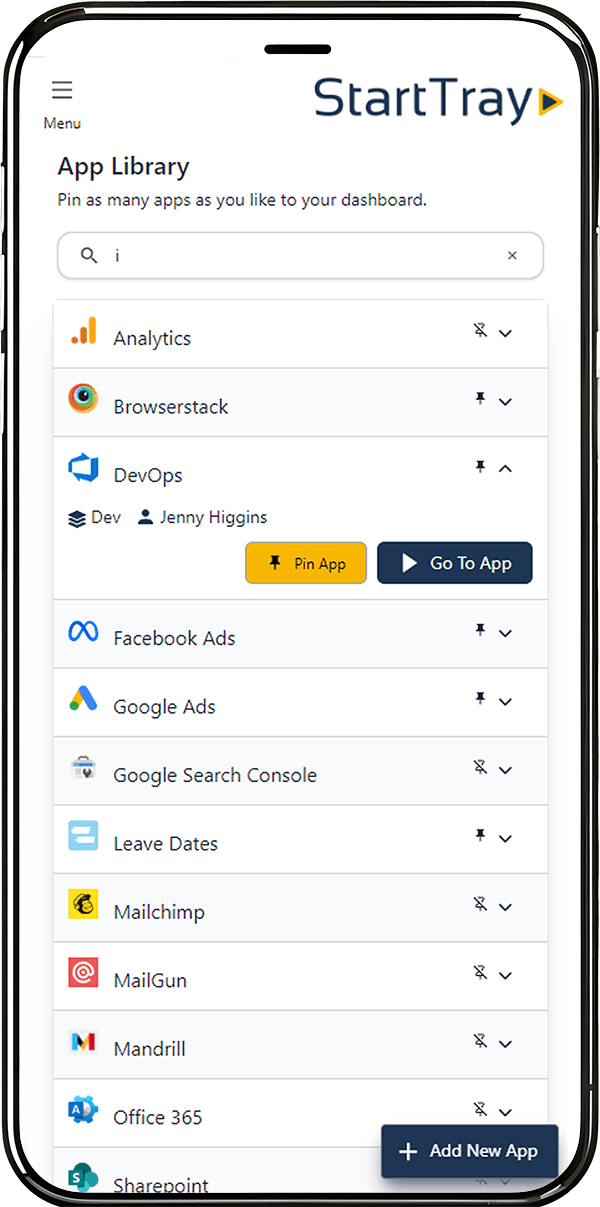
Dashboards for every team touching the customer journey
From paid acquisition to fulfilment, different teams need different tools. StartTray lets you group apps by team, keep shared systems tidy and still allow personal dashboard customisation where it helps.
That means fewer handover docs, fewer repeated questions and a clearer path for new starters and existing staff alike.
Stop losing time to app questions that should answer themselves
When teams rely on dozens of tools, tiny delays stack up. StartTray reduces the everyday interruptions by making app purpose, ownership and the right link visible from the same dashboard.
Practical guides for cleaner internal operations
Practical playbooks for getting app sprawl under control, tightening onboarding and building a clearer operating setup across your teams.
A step-by-step framework to centralise tools, assign ownership, apply role-based access, and keep links up to date without sending new URLs around.
Stop sending long lists of links. Give new starters a role-based dashboard with approved tools, ownership, and a simple day-one starting point.
Want the dashboard to be the default start page for your team? How to set StartTray as your browser homepage.
Do you work as an agency with multiple clients tool and app sets? See how we designed for agencies.
Frequently Asked Questions
What is StartTray?
StartTray is a centralized platform that helps teams and organizations organize, manage, and access all their third-party apps from one place. With easy customization, admin controls, and security features, it streamlines how your teams work with their tools.
How does StartTray help my team?
StartTray allows you to create tailored dashboards for each team, so they have access to the exact apps they need. It simplifies app organization, improves workflow, and reduces the hassle of sharing app links across multiple platforms.
Can users add their own apps to StartTray?
Yes! Admins can manage the App Library, but users can also add custom apps to their personal dashboards, giving them flexibility to work with the tools they need.
What’s the Quick Info feature?
Quick Info allows users to easily find out what an app does and who owns it by clicking an icon on their dashboard. It’s perfect for quickly understanding the tools in use without needing to ask around.
Is StartTray secure?
Absolutely. StartTray gives admins full control over who can see specific apps and app groups. It also provides insight into app usage, helping you maintain security and compliance across your organization. It is simply a wrapper around all your apps, each app still maintains it's own user authentication.
Can I customize StartTray for different teams?
Yes! You can customize dashboards for different teams by assigning relevant apps and app groups. Users can also further personalize their dashboards to suit their workflow.
What happens if an app link changes?
When you update an app link in StartTray, everyone will switch to the new version at the same time. No need to pass around new links!
How do I get started with StartTray?
Simply sign up for free for up to 5 users. Using the button on our homepage. You can begin adding apps, users and customizing dashboards for your teams right away. If you need to scale up your users, select the relevant pricing plan.
Does StartTray integrate with the tools I’m already using?
Yes! StartTray supports any third-party app that is web based and has a url to access, including marketing tools, communication platforms, analytics software, and more. You can easily add any app your team needs to the App Library.
What pricing plans are available?
We offer 4 different pricing plans to fit different needs, or if you need over 60 users you can contact us for assistance. You can check our plans out on the pricing page.
How does app usage tracking work?
StartTray gives admins insights into app usage, showing which apps are popular and which may no longer be in use. This helps you make informed decisions about app subscriptions and cutting unnecessary costs.
Is there support available if I need help?
Yes, we offer support to all our users via email. For our Business Plus accounts we offer a live video support session with one of our support managers.
Can StartTray be used as a bookmark manager?
Yes! StartTray helps teams manage and share important links efficiently. Learn more about our bookmark management features.
Is StartTray similar to Start.me?
StartTray and Start.me both help users organize their online tools and bookmarks, but they are designed for different purposes. Read our full comparison of StartTray vs. Start.me.